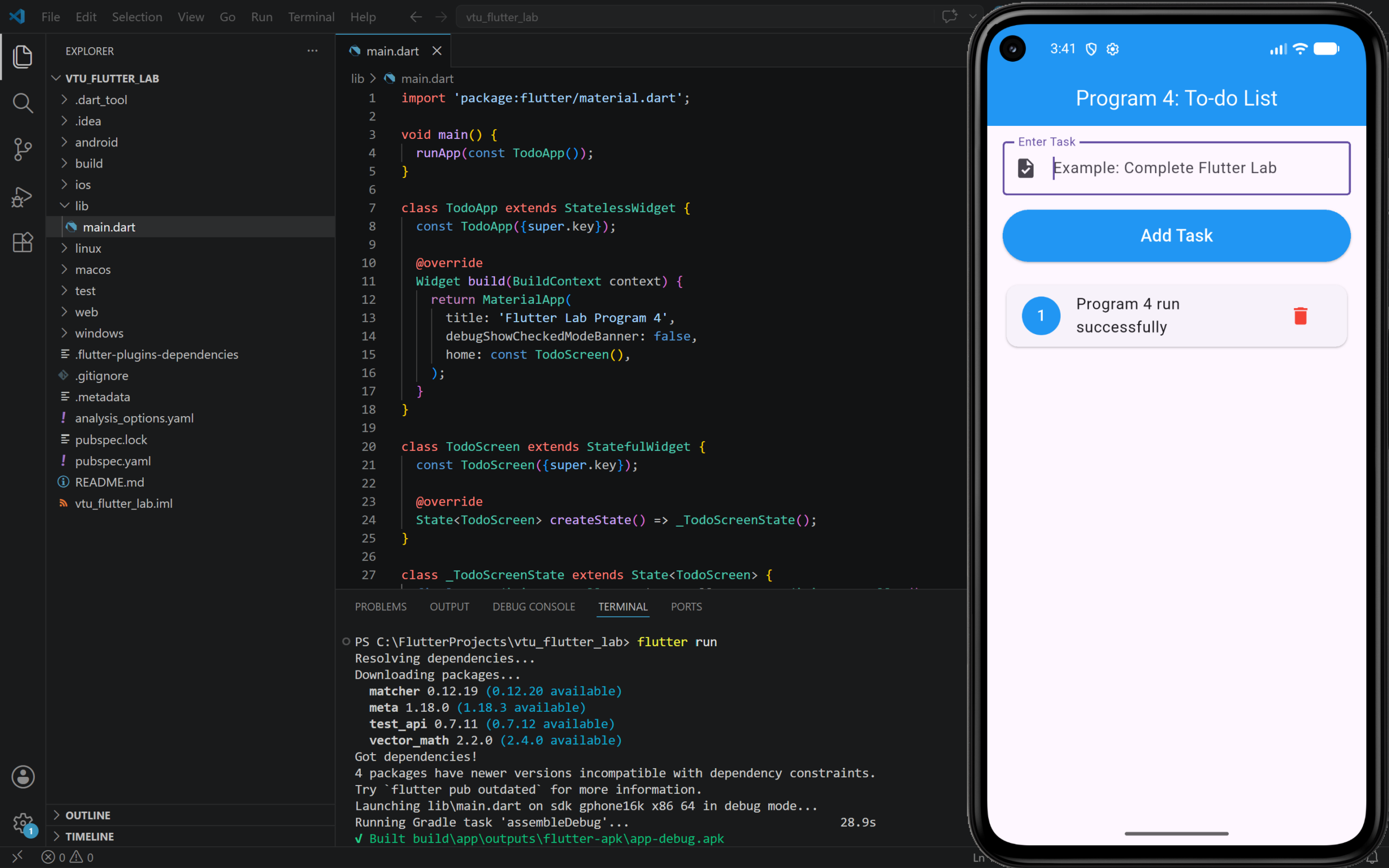
4. Develop a “To-do List” Application.
Step to Run
- Open your Flutter project in VS Code.
- Open
lib/main.dart. - Delete the existing code.
- Paste the program code given below.
- Save the file.
- Run the program using
flutter runcmd
PROGRAM:
import 'package:flutter/material.dart';

void main() {
  runApp(const TodoApp());
}

class TodoApp extends StatelessWidget {
  const TodoApp({super.key});

  @override
  Widget build(BuildContext context) {
    return MaterialApp(
      title: 'Flutter Lab Program 4',
      debugShowCheckedModeBanner: false,
      home: const TodoScreen(),
    );
  }
}

class TodoScreen extends StatefulWidget {
  const TodoScreen({super.key});

  @override
  State<TodoScreen> createState() => _TodoScreenState();
}

class _TodoScreenState extends State<TodoScreen> {
  final TextEditingController taskController = TextEditingController();

  List<String> tasks = [];

  void addTask() {
    String task = taskController.text.trim();

    if (task.isNotEmpty) {
      setState(() {
        tasks.add(task);
        taskController.clear();
      });
    }
  }

  void deleteTask(int index) {
    setState(() {
      tasks.removeAt(index);
    });
  }

  @override
  void dispose() {
    taskController.dispose();
    super.dispose();
  }

  @override
  Widget build(BuildContext context) {
    return Scaffold(
      appBar: AppBar(
        title: const Text('Program 4: To-do List'),
        centerTitle: true,
        backgroundColor: Colors.blue,
        foregroundColor: Colors.white,
      ),
      body: Padding(
        padding: const EdgeInsets.all(16),
        child: Column(
          children: [
            TextField(
              controller: taskController,
              decoration: const InputDecoration(
                labelText: 'Enter Task',
                hintText: 'Example: Complete Flutter Lab',
                border: OutlineInputBorder(),
                prefixIcon: Icon(Icons.task),
              ),
            ),

            const SizedBox(height: 15),

            SizedBox(
              width: double.infinity,
              child: ElevatedButton(
                onPressed: addTask,
                style: ElevatedButton.styleFrom(
                  backgroundColor: Colors.blue,
                  foregroundColor: Colors.white,
                  padding: const EdgeInsets.symmetric(vertical: 14),
                ),
                child: const Text(
                  'Add Task',
                  style: TextStyle(fontSize: 18),
                ),
              ),
            ),

            const SizedBox(height: 20),

            Expanded(
              child: tasks.isEmpty
                  ? const Center(
                      child: Text(
                        'No tasks added yet',
                        style: TextStyle(fontSize: 18),
                      ),
                    )
                  : ListView.builder(
                      itemCount: tasks.length,
                      itemBuilder: (context, index) {
                        return Card(
                          child: ListTile(
                            leading: CircleAvatar(
                              backgroundColor: Colors.blue,
                              foregroundColor: Colors.white,
                              child: Text('${index + 1}'),
                            ),
                            title: Text(tasks[index]),
                            trailing: IconButton(
                              icon: const Icon(
                                Icons.delete,
                                color: Colors.red,
                              ),
                              onPressed: () {
                                deleteTask(index);
                              },
                            ),
                          ),
                        );
                      },
                    ),
            ),
          ],
        ),
      ),
    );
  }
}OUTPUT: